There are two ways to make money from a link in bio: sell your own things directly on the page, and earn commission when other creators join the platform through you. Most people only ever set up the first one — and plenty never even do that, because a plain list of links has nothing to sell with.
Way one: sell directly from the page
The gap between a link list and an earning page is checkout. If a fan has to leave your bio to buy, most of them don’t. Four things you can sell without sending anyone anywhere:
- Digital products — programs, ebooks, presets, guides. The buyer pays and the file arrives by email automatically.
- Physical products — merch, supplements, prints. Stripe collects the shipping address at checkout and the order lands in an inbox with the address ready to post, or set it to click-and-collect.
- Event tickets — sold on the page, QR code emailed, scanned at the door from your phone.
- Your time — a lead funnel asks a few branded questions so enquiries arrive already qualified, instead of “hey, info?”
Fees are simple: a platform fee of 5% on Basic or 2.5% on Pro, plus Stripe’s processing fee. The money settles into your own Stripe account because you are the seller, not the platform.
The part most people skip: the email list
Followers are rented. If an algorithm changes or an account is locked, the audience goes with it. An email capture block on your page turns visitors into subscribers you own and can export, and on Pro the AI email marketer writes and sends the follow-up campaigns from your own page and products. It’s the difference between a good month and a business.
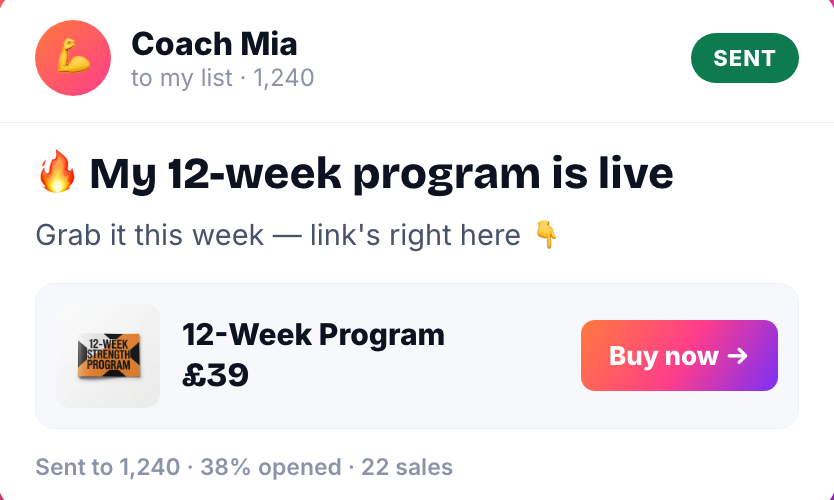
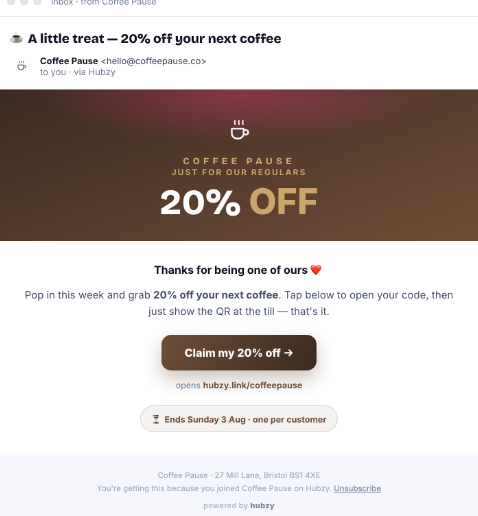
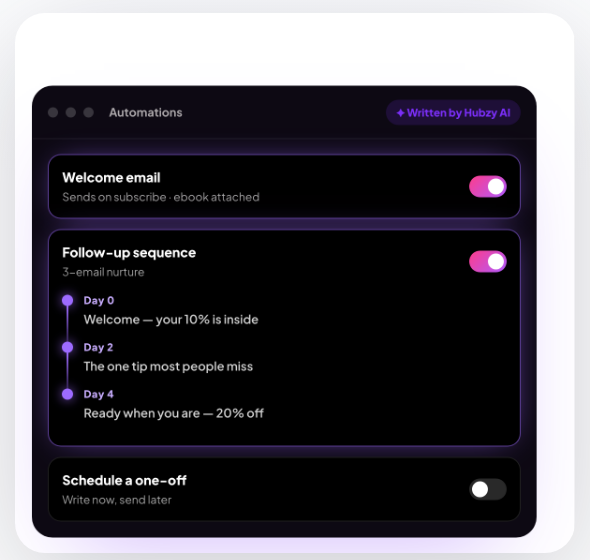
The follow-up matters more than the first send. A welcome email that delivers your freebie, a short nurture sequence, a win-back for people who went quiet — set once, running for every new subscriber after that.
Way two: earn from the link itself
The second income stream costs you nothing to set up. Hubzy’s affiliate programme pays 20% of the subscription revenue of any creator who joins through your link, for their first year. If your audience contains other creators — and if you sell anything, it does — the tool you already use becomes something you earn from.
It also compounds with the first stream, because your own page is the demonstration. People ask what you built it with, and the answer pays you.
A realistic order to do this in
- Day one: claim your link, add a cover video and your existing links. About a minute.
- Week one: add one product and one email capture block. One thing to sell beats five you’re unsure about.
- Week two: add a lead funnel if you sell your time, or an event if you run them.
- Whenever: grab your affiliate link so the recommendations you were making anyway start paying.
Start free, or read how the affiliate programme works.
FAQ
How do I sell products from my link in bio?
Add a product block to your page with a price, and Stripe checkout runs on the page itself. Digital products are emailed to the buyer automatically; physical ones collect a shipping address at checkout and land in an Orders inbox for you to fulfil.
What can I sell from a bio link?
Digital products like programs, ebooks, presets and guides; physical products you ship or hand over in person; event tickets with QR codes; and your time, through a lead funnel that books enquiries.
What fees are there on sales?
Hubzy takes a platform fee of 5% on Basic or 2.5% on Pro, and Stripe charges its own processing fee. Payments settle into your own Stripe account, so you are the seller of record.
Can I earn without selling anything of my own?
Yes — the affiliate programme pays 20% of the subscription revenue of creators who join through your link for their first year, whether or not you sell products yourself.